

Description
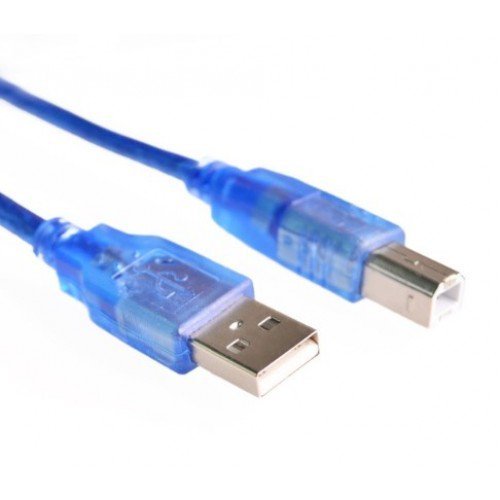
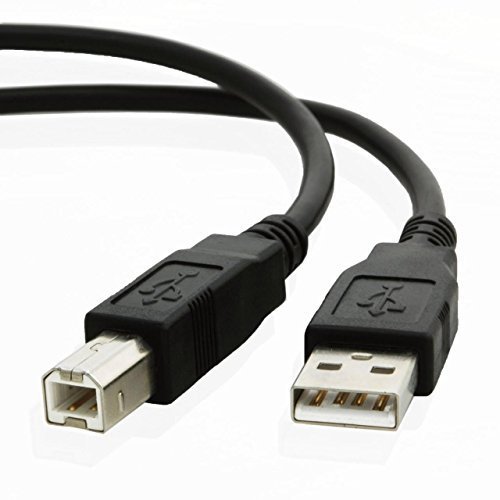
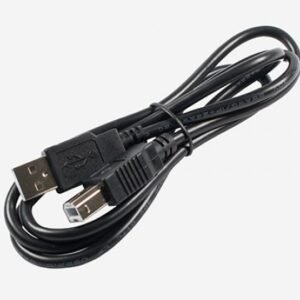
The Arduino UNO USB Cable is used to connect a compatible Arduino UNO development board to a computer for programming, serial communication, and USB power. It is commonly used with Arduino IDE to upload sketches and test electronic projects.
The standard Arduino UNO R3 uses a USB Type-B connector on the board and a USB Type-A connector on the computer end of the cable. This cable is suitable for compatible boards and other devices that use the same USB Type-B connection.
Key Features
- Connects a compatible Arduino UNO board to a computer
- Supports sketch uploading through the Arduino IDE
- Enables USB serial communication on supported boards
- Can supply USB power to the board within the USB port’s available limits
- Suitable for electronics learning, prototyping, and development
- Reusable cable for compatible USB Type-B devices
Technical Specifications
| Specification | Details |
|---|---|
| Product Type | USB Programming Cable |
| Connector 1 | USB Type-A, typically |
| Connector 2 | USB Type-B, typically |
| Compatibility | Arduino UNO R3 and compatible USB Type-B boards |
| Main Functions | Programming, data transfer, and USB power |
| Cable Length | Depends on the supplied version |
| Colour | Depends on availability |
Applications
- Programming Arduino UNO boards
- Uploading sketches using Arduino IDE
- Serial communication and debugging
- Arduino-based robotics projects
- Electronics education and prototyping
- Connecting compatible USB Type-B devices to a computer
Important Notes
- Confirm that your Arduino board has a USB Type-B port before ordering.
- Some newer or compact Arduino-compatible boards use Micro-USB or USB-C instead.
- Use a data-capable USB cable, as charge-only cables cannot upload sketches or provide USB data communication.
- Cable length and appearance may vary by version.
Om Prakash Pal –
Delievery fast